
Applying keywords tag in website
Hello Dear friends, today we will know about keywords and shearing website URL on Facebook and twitter.
We want google searching of our website on google,For this We add keywords, through that user or customer can go from google to our website. If customer is searching any keyword or service name on google then if you have applied that service name or keyword then google will show your website in his searching list. If you not added keywords then it will search by text added in your website.
You can use below given tag for add keywords on your website, Only just replace the keywords with your keywords and apply that tag inside head tag in header.php, But if you have not wordpress website you have website in HTML or in any other framework, then you can put the tag/code according to need in pages head tag.
<meta name="keywords" contents="garlic bread, Fresh juices, Rosted items seller, Best bakery Products on cheaper price">
Recommended tags for website
Some other most use full tags are which you should add in head tag of website. You will find the head tag in header.php. These tags are most usefull tags, which we should add in our website for get better result on searching and displaying better result.
All given below code is according to WordPress website and tags.
Below given code is for WordPress functions, If your website is in html or other framework then please modify tags function according to you.
<title><?php echo the_title(); ?>: <?php echo get_bloginfo(‘name’); ?>: <?php echo bloginfo(‘description’); ?></title>
<meta name=”description” content=”<?php echo bloginfo(‘description’); ?>” />
<link rel=”icon” href=”<?php echo get_site_icon_url() ?>”>
<meta charset=”utf-8″>
<meta name=”viewport” content=”width=device-width, initial-scale=1.0″>
<meta name=”classification” content=”CBSE School”>
<meta name=”distribution” content=”Global”>
<meta name=”robots” content=”index,follow”>
<meta name=”author” content=”<?php echo get_bloginfo(‘name’); ?>”>
<meta name=”language” content=”en-gb”>
<meta name=”copyright” content=”<?php echo get_bloginfo(‘name’); ?> 20<?php echo date(‘y’);?>”>
<meta name=”rating” content=”General”>
<meta name=”audience” content=”All”>
<meta name=”revisit-after” content=”7 days”>
<meta name=”resource-type” content=”Web Page”>
<meta name=”doc-type” content=”Web Page”>
<meta name=”doc-class” content=”Published”>
<meta name=”doc-rights” content=”Public Domain”>
<link rel=”canonical” href=”<?php echo home_url(); ?>” />
For share URL on Facebook
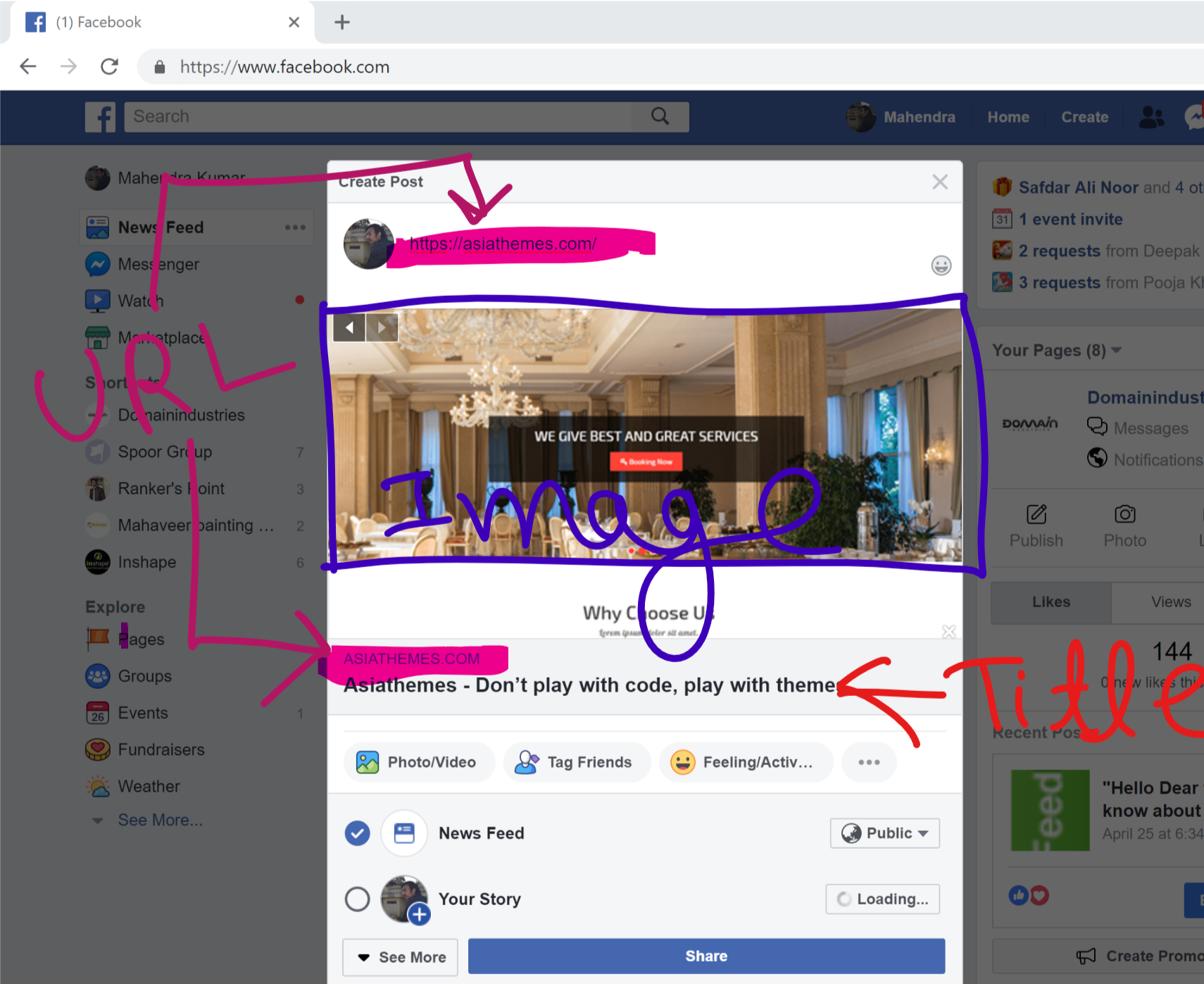
Now we will talk about shearing website on Facebook and twitter.Many a times we copy and paste any website URL Like any YouTube video or any other website URL on Whats App , Facebook chat, Twitter, Facebook post, When we paste the page URL we get an image , heading and some description of that. We will know about that.
If we are shearing Any link of Facebook post or comment or in chat, Then we need to add below given tags for get image, Heading, Description.
<meta property=”og:locale” content=”en_US” />
<meta property=”og:site_name” content=”<?php echo get_bloginfo(‘name’); ?>” />
<meta property=”article:publisher” content=”https://www.facebook.com/yourfacebookpageurl" />
<meta property=”og:asset-type” content=”website” />
<meta property=”og:url” content=”<?php $current_url="//".$_SERVER['HTTP_HOST'].$_SERVER['REQUEST_URI']; ?>” />
<meta property=”og:type” content=”article” />
<meta property=”og:title” content=”<?php echo get_bloginfo(‘name’); ?>” />
<meta property=”og:description” content=”<?php echo bloginfo(‘description’); ?>” />
<meta property=”og:image” content=”http://static01.nyt.com/images/2015/02/19/arts/international/19iht-btnumbers19A/19iht-btnumbers19A-facebookJumbo-v2.jpg” />
<meta property=”fb:admins” content=”https://facebook.com/pageadminurl/" />
Share Website URL in twitter
If you want to share your Website URL on twitter, then you should add the below given code to head tag of your website.
<meta property="twitter:site" content="@xxxxxxxxxxxx" />
<meta property="twitter:creator" content="@xxxxxxxxxxxx" />
<meta property="twitter:title" content="<?php echo get_bloginfo('name'); ?>: <?php echo bloginfo('description'); ?>" />
<meta property="twitter:description" content="<?php echo bloginfo('description'); ?>" />
<meta property="twitter:image" content="https://xxxxxxxxxxxxxxx.com/image/social.jpg" />
<meta name="twitter:card" content="summary_large_image"/>
<meta name="twitter:domain" content="<?php echo home_url(); ?>"/>